




Security cameras have gotten a lot better over the past few years, to the point that even cheaper models often offer features the best cameras didn’t have just three or four years ago. Some time ago, you would pay for things like higher resolution and longer battery life, but these days, you’ll pay for additional AI features, power, and what systems in your home a security camera can talk to.
I’ve tested dozens upon dozens of security cameras over the years and watched them mature over that time. We’ve gone from a world where the likes of Arlo routinely beat the competition to one where much lesser-known companies are arguably offering more interesting and more helpful products. All three of what I consider to be the best security cameras can record locally, and none of them require a subscription to catch and keep an event — though of course, they all still work with a subscription for some additional features.
I tested all three at home across indoor and outdoor placements, through full day-night cycles, over several weeks each. The takeaway is simple. Pick by where you’re mounting, what ecosystem you’re in, and what you want to automate.
At a glance
All three tested at home, indoors and outdoors, over several weeks each| Camera | Resolution | Night vision | Power |
|---|---|---|---|
| Aqara Camera Hub G5 Pro | 2.6K | Color only (spotlight), no IR | Wired, USB-C or PoE |
| TP-Link Tapo C615F Kit | 2K | Color floodlight + IR | Battery + solar panel |
| Wyze Cam Pan v4 | 4K | IR + color spotlight | Wired |
Best overall: Aqara Camera Hub G5 Pro
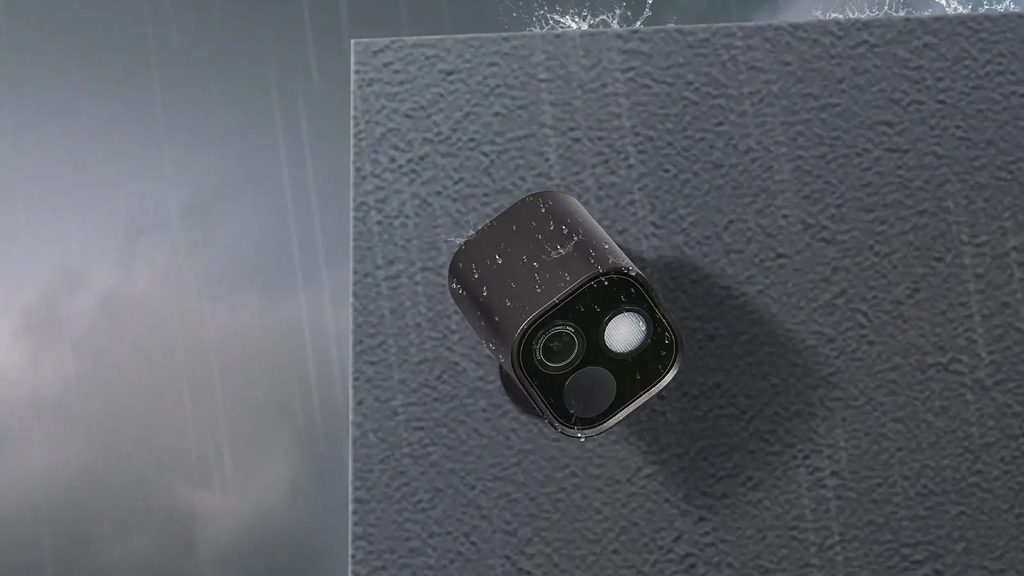
All smart security cameras can keep an eye on the goings-on in your home, but few of them actually run the rest of your smart home too. That’s where the Aqara Camera Hub G5 Pro comes in. It does a whole lot more than act as a security camera.
To be clear, it is a very good security camera, though. It may not offer a 4K resolution, but its 2.6K resolution is still more than crisp enough for the vast majority of use cases and I was able to see things like the text on car number plates and the details on a person’s face just fine. The camera also offers very good dynamic range, meaning it can capture the difference between a bright window and dark shadows in one shot. In other words, when used indoors, a window won’t be completely blown out during the day, and when used outdoors, you should still be able to see details even when the sun is shining directly towards the camera. The 133-degree diagonal field of view is wide enough to fit a doorway and a driveway edge in one frame, and the colors look natural rather than the oversaturated, HDR-ish look many budget sensors default to.
So, what are those extra smart home things that the Camera Hub G5 Pro can do? Well, it can actually serve as the hub for other smart home devices if you have them. That means that it can bridge those smart home devices and your wider smart home ecosystem, allowing you to control them remotely, even if those other devices don’t actually have Wi-Fi. The G5 Pro works with HomeKit, Alexa, Google Home, SmartThings, and RTSP. It’s the only camera in this roundup, and one of very few on the market, that an Apple household can use completely without giving anything up.
The G5 Pro offers a range of on-device AI features too – features that work on the device without you needing to subscribe to any plan. Face recognition, vehicle detection, package alerts, animal tagging, lens-obstruction warnings, and audio detection all run locally. In my testing, a package alert landed in roughly three seconds, and it heard a baby crying through a floor and a closed door. I have a toddler and a baby, so that one got put through its paces more than once. Compare that to Ring or Blink, where sound detection beyond basic triggers either doesn’t exist or sits behind a monthly plan with no local processing.
Storage is flexible too. There’s storage built straight into the camera, and when the device’s storage fills up, it’ll write over the oldest footage first. It supports NAS over SMB and RTSP for long-term archiving, and HomeKit Secure Video runs on top of it, so you can store footage in your iCloud subscription if you want.
The camera isn’t perfect, even if I find it to be the closest right now. Night vision is color-only, with no infrared fallback, which is unusual, and it means that in genuine darkness you’ll need the spotlight on to record anything at all. That 3-watt, 120-degree beam at 3000K is bright enough to read a face, but it also means the camera announces itself to anyone walking past at 2 am, which some households won’t like. Exporting a clip means re-recording the playback in real time, a clunky firmware limitation Aqara hasn’t addressed yet. It’s also not wireless: you’ll need a USB-C outlet, or the PoE model if you’d rather run a single Ethernet cable, so factor a cable run into your mounting plan.
That said, those things aren’t big enough issues to take away from the fact that I find this to be the most robust, most full-featured smart security camera you can get right now.
Specifications
From the manufacturer and our testing
| Resolution | 2.6K |
| Field of view | 133° diagonal |
| Night vision | Color only, via 3W 120° spotlight (3000K); no infrared |
| Power | Wired, USB-C (PoE model available) |
| Local storage | Built-in (loop recording), NAS over SMB, RTSP |
| Cloud option | HomeKit Secure Video (iCloud) |
| Works with | HomeKit, Alexa, Google Home, SmartThings, RTSP |
| Free on-device AI | Face, vehicle, package, animal, lens-obstruction and audio detection |
| Extras | Doubles as a smart home hub for non-Wi-Fi devices |
Best floodlight camera: TP-Link Tapo C615F Kit
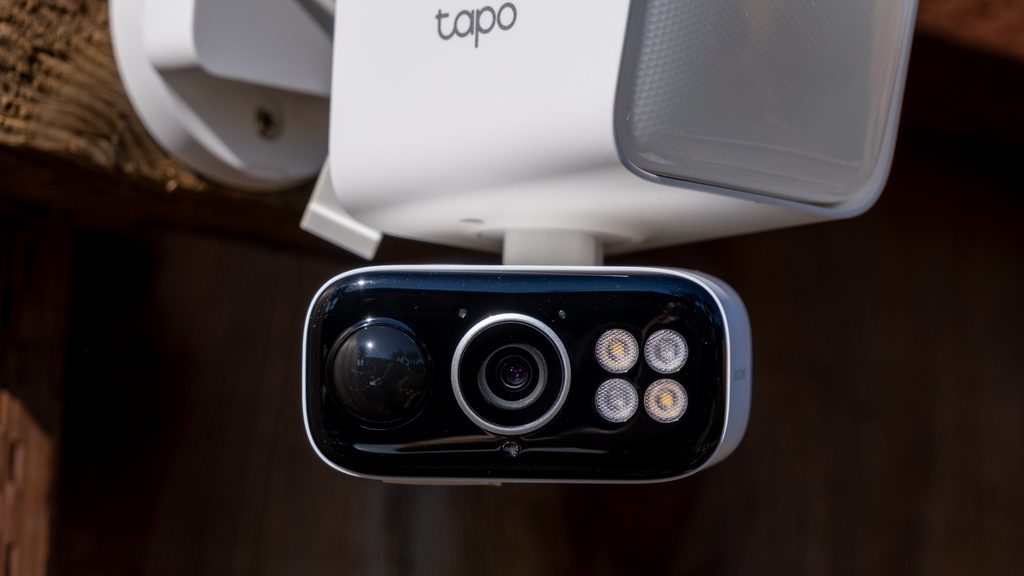
You don’t have to pay a high price to get a camera that you never have to charge or replace. The TP-Link Tapo C615F comes with a solar panel that automatically charges up the battery inside the camera. And even if you go through weeks of clouds and rain, you still shouldn’t have to worry, given the fact that the battery can power the camera for quite some time and charges very quickly when the sun does come out. TP-Link claims 45 minutes of direct sun covers a full day of use, and that seemed about right when I tested it.
Video quality is pretty good too. The camera has a 2K sensor at 20fps with roughly a 100-degree field of view, 360 degrees of horizontal pan, and 130 degrees of vertical tilt. That sensor FOV is narrower than some fixed cameras, so TP-Link compensates with patrol mode, which cycles through preset positions on a schedule, and panoramic snapshots that can run on different routines per day. It’s a neat workaround.
The 800-lumen floodlight is modest against hardwired units that push 2,000 lumens or more, but in my backyard I still found it to be plenty. The color night vision that it delivers makes for better-looking video overall than the cameras’ infrared-based night vision – though if you want to record far-away objects, you’ll still need to rely on the IR sensor.
There are some solid local processing features here too. You’ll get on-device detection for people, pets, and vehicles without paying for Tapo Care, and per-zone sensitivity tuning is available out of the box. That’s not necessarily all that common. Without a subscription, an Arlo Essential camera is basically a motion sensor with a live feed, and Ring gates most of its smart alerts behind Ring Protect. Tracking on the C615F is smooth and returns to its home position reliably, but it triggered late at the far edge of my yard and promptly when subjects were close. You’ll want to play around with the sensitivity features when you get the camera.
TP-Link notes that the camera offers “24/7 Capture”; however, that’s interval snapshots stitched together, not continuous video recording. The name is misleading, and most people will assume otherwise. And there’s no HomeKit support: Alexa and Google only, with microSD storage up to 512GB and Tapo Care at $3.49 per month per device, capped at two devices on that tier, if you want cloud playback on top.
Still, if you’re looking for a good security camera with a floodlight and don’t need it to work with HomeKit, this is the way to go.
Specifications
From the manufacturer and our testing
| Resolution | 2K at 20fps |
| Field of view | About 100°, plus 360° pan and 130° tilt |
| Night vision | Color via 800-lumen floodlight, with IR fallback |
| Power | Battery with included solar panel (TP-Link: 45 min of direct sun covers a full day) |
| Local storage | microSD, up to 512GB |
| Subscription | Optional Tapo Care, $3.49/month per device (max two devices on that tier) |
| Works with | Alexa, Google; no HomeKit |
| Free on-device AI | Person, pet, and vehicle detection; per-zone sensitivity |
| Extras | Patrol mode and scheduled panoramic snapshots |
Best budget: Wyze Cam Pan v4
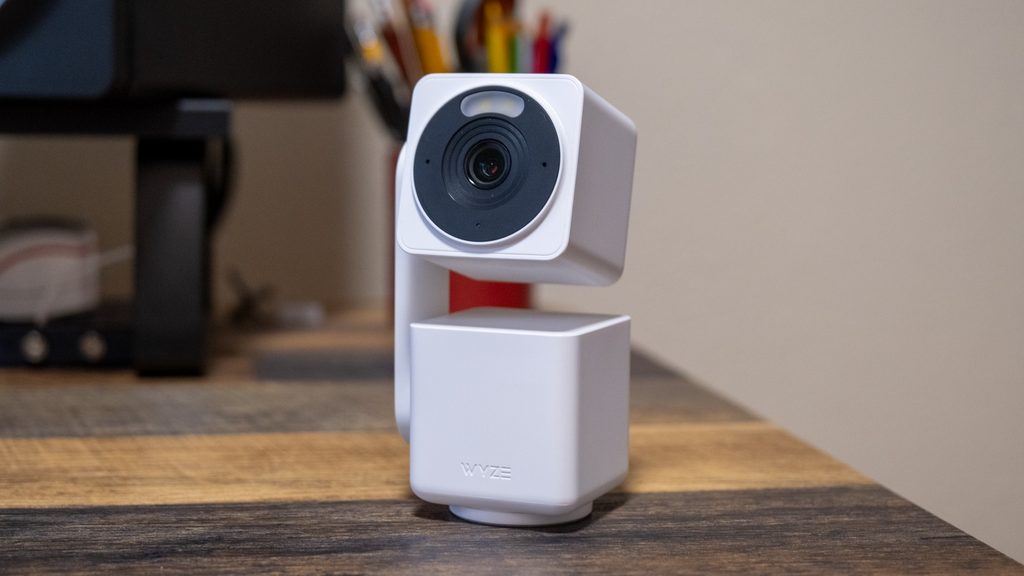
It used to be that you had to pay hundreds of dollars to get anywhere near a 4K resolution, but these days you can get 4K at only $60.
The camera is rated IP65 for indoor and outdoor use, though it is a wired camera, so you’ll need to run a wire to it for power even if you use it outside. Daytime footage is vivid with good shadow-and-highlight handling for the money. Night vision is handled by both IR and a spotlight for color. While the 105.4-degree field of view is narrower than rivals, the camera has the pan and tilt features that mean it can look around an environment to get around that issue.
I did find that the tracking of movement is where the lower price can start to show. Clips of a cat started mid-frame with several seconds of approach already gone. The camera tracked the motion before it started recording, so you’d see the tail end of something but miss the beginning. Human-sized subjects right at the lens triggered instantly, though, which is good.
You can get away without a subscription with this camera too, though. There’s an option for microSD recording as an alternative to subscribing to store footage. That said, unfortunately, some of the smarter features are locked behind the $2.99 per month Wyze Cam Plus subscription. These include things like smart object recognition, rich push notifications, and AI sound detection — Wyze lists glass breaking, smoke alarms, and a crying baby as Cam Plus features rather than free ones. Still, at $2.99 a month, it’s among the cheapest plans in the category.
If you could stand to save some cash but still want a reasonably sharp, reasonably feature-rich security camera, then the Wyze Cam Pan v4 is the camera for you.
Specifications
From the manufacturer and our testing
| Resolution | 4K |
| Field of view | 105.4°, with pan and tilt |
| Night vision | IR, plus spotlight for color |
| Power | Wired |
| Weather rating | IP65, indoor and outdoor |
| Local storage | microSD |
| Subscription | Optional Cam Plus, $2.99/month (smart object recognition, rich notifications, AI sound detection) |